
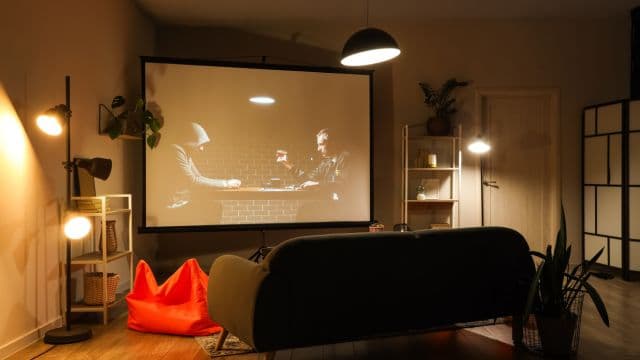
Start With Throw Distance, Not Brand Names
Before comparing specific models, the single most important number for a small room is throw ratio, how much image width a projector produces per foot of distance to the screen or wall. A standard projector might need eight to twelve feet to fill a 100-inch screen, which simply doesn't work in a lot of apartment living rooms or bedrooms. Short-throw models typically fill the same size image from four to six feet, and ultra-short-throw models do it from just inches away, projecting up and out from directly beneath or in front of the screen.
For most small rooms and apartments, standard short-throw is the more budget-friendly sweet spot, while ultra-short-throw makes sense specifically when floor or ceiling space for the projector itself is the limiting factor, not just distance to the wall.
Entry-Level Short-Throw Options
At the lower end of the price range, look for models from established projector-focused brands like Anker's Nebula line, ViewSonic, and BenQ's entry-level home series, which tend to offer solid brightness and reasonable color accuracy for casual movie and TV viewing without pushing into serious home theater pricing. These typically run in the few-hundred-dollar range and are a sensible starting point if you're testing whether a projector setup fits your space and habits before investing more.
What to prioritize in this tier: at least 1080p native resolution rather than upscaled lower resolution, a brightness rating suitable for at least partial ambient light if your room isn't fully dark-capable, and built-in smart streaming apps if you'd rather avoid connecting a separate streaming device.
Mid-Range Options With Better Brightness and Color
Stepping up in price brings noticeably better brightness, more accurate color reproduction, and often native 4K support rather than upscaled resolution, which matters more than it might seem for a small room since you're typically sitting closer to a larger relative image size, making resolution differences more visible than they would be at a greater viewing distance. Brands like XGIMI, with their Horizon and Halo lines, and Epson's Home Cinema series are commonly recommended in this tier for combining strong picture quality with reasonably compact, portable designs suited to apartments.
This tier is worth the extra cost if you plan to use the projector regularly rather than occasionally, since the brightness improvement in particular makes a real difference for daytime or partially lit viewing, a common reality in apartments without full blackout capability.
Ultra-Short-Throw for the Tightest Spaces
If your room genuinely doesn't have the floor space for a standard short-throw projector's placement distance, even at four to six feet, ultra-short-throw models solve that problem directly by sitting essentially against the wall and projecting upward. Brands like LG's CineBeam line and higher-end Epson and Hisense laser projector models fall into this category, generally at a noticeably higher price point than standard short-throw options, reflecting the more complex lens engineering required to project cleanly from such a short distance.
This category makes the most sense for a specific situation: a small room where you want a large image but have no realistic way to position a projector four or more feet from the screen, such as a narrow bedroom or a studio apartment layout.
What Specs Actually Matter for a Small Room
Brightness (measured in ANSI lumens) matters more in a small room than you might assume, since apartments often have less control over ambient light than a dedicated home theater room would. Look for a genuine ANSI lumens rating rather than the sometimes-inflated "LED lumens" figures some budget projectors advertise, since ANSI lumens is the more standardized, comparable measurement across brands.
Native resolution matters more than in a large dedicated theater room specifically because smaller rooms mean closer viewing distances relative to image size, making resolution differences more noticeable. Native 1080p is a reasonable minimum; native 4K is a meaningful upgrade if your budget allows it.
Built-in speaker quality is worth checking but shouldn't be a deciding factor, since most people upgrade to an external soundbar regardless of which projector they choose, for the reasons covered in setting up the rest of a home cinema room.
Keystone correction and lens shift features help fine-tune image alignment in a small room where perfectly centered placement isn't always possible, and having some adjustment flexibility built in reduces the pressure to get mounting position exactly right on the first try.
A Practical Way to Decide
If you're new to home projectors and want to test whether the format fits your space and habits, start with an entry-level short-throw model and a basic screen or clean wall, treating it as a lower-risk way to confirm the setup works for your room before spending more. If you already know you want a regular home cinema setup and have the budget, a mid-range short-throw model with native 4K and strong brightness is generally the better long-term value than starting cheap and upgrading twice.
What to Avoid
Don't buy based on advertised lumens without checking whether the figure is ANSI lumens specifically, inflated lumens claims are common in budget projector marketing and make direct comparisons misleading. Don't assume a higher price automatically means a better fit for your specific room, throw ratio compatibility with your actual space matters more than overall spec sheet strength. And don't skip checking a projector's minimum throw distance against your room's actual measurements before buying, even within the short-throw category, models vary enough that a mismatch is a common and avoidable disappointment.
📚 Sources
Consumer Reports, "Projector Buying Guide" – https://www.consumerreports.org/electronics-computers/projectors/
Rtings, "Projector Reviews and Comparisons" – https://www.rtings.com/projector
CNET, "Best Projectors" – https://www.cnet.com/home/home-entertainment/