This 30-day plan turns your phone from a sleep disruptor into a sleep ally. No apps to pay for, no complicated routines, no overnight transformation. Just small, practical shifts you can make one week at a time.
What Actually Affects Your Sleep (And Where Your Phone Fits In)
Before diving into the plan, it helps to understand what sleep habits you're actually trying to build and why. Sleep quality comes down to a few core factors: consistency in when you go to bed and wake up, the quality of your wind-down routine, light exposure in the evening, and what your nervous system is doing in the hour before you try to sleep.
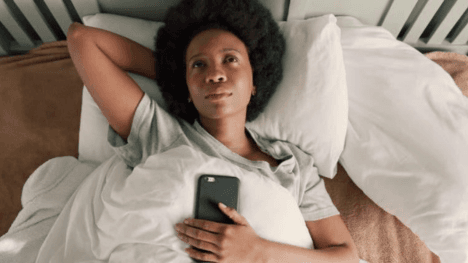
Your phone touches all of those. The blue light from your screen signals to your brain that it's daytime, suppressing melatonin – the hormone that makes you drowsy. Scrolling social media or reading news keeps your nervous system in an alert, reactive state at exactly the moment you want it to calm down. Notifications arriving throughout the night disturb your sleep cycles even if you don't fully wake up. But your phone can also set alarms that support a consistent schedule, play audio that genuinely relaxes you, track your patterns so you can see what's working, and create the environmental conditions (through smart home integrations or screen settings) that support better rest.
The difference is intention. Using your phone passively in the evening tends to harm sleep. Using it with a specific purpose in service of a sleep routine is different.
The 30-Day Plan: One Week at a Time
Rather than changing everything at once, this plan introduces changes in four phases. Each week builds on the last, so by day 30 you have a complete phone-supported sleep system rather than a scattered list of things you're trying to remember to do.
Week 1: Set the Foundation (Days 1–7)
The first week is about establishing two things: a consistent wake time and a phone environment that works for sleep rather than against it.
Days 1–2: Fix your wake time first. Most people focus on when they go to bed, but sleep research consistently shows that a consistent wake time is more powerful for regulating your sleep cycle. Pick a wake time you can maintain every day – including weekends – and set it as your morning alarm. Don't set six backup alarms. Set one, put your phone across the room if you're a snooze-button person, and commit to it.
Days 3–4: Set up Do Not Disturb properly. Go into your phone's Do Not Disturb or Focus Mode settings and schedule it to activate automatically 30 minutes before your target bedtime and turn off at your wake time. Allow calls from emergency contacts through, but silence everything else. Most people think they have DND set up, but haven't actually scheduled it or checked what exceptions are letting notifications through. Do this properly once and it runs in the background every night.
Days 5–7: Turn on Night Mode or Warm Display from 8pm. Both iOS (Night Shift) and Android (Night Light or Adaptive Brightness depending on your device) have settings that shift your screen toward warmer, less blue tones after a set time. This doesn't eliminate the stimulation problem of evening phone use, but it removes part of the biological impact. Set it to activate automatically at 8pm or an hour or two before your target bedtime. You'll barely notice the colour shift but it's doing real work underneath.
By the end of week one, you have a consistent wake time, automatic DND protection during sleep hours, and warm display settings running without you having to think about them. None of this requires willpower once it's set up.
Week 2: Build a Wind-Down Routine (Days 8–14)
Week two focuses on the 30–45 minutes before sleep – what you're doing with your phone during that window and how to shift it from stimulating to genuinely relaxing.
Days 8–10: Move charging out of arm's reach. If your phone charges on your nightstand, move the charger to the other side of the room or to a spot outside the bedroom. This single change removes the habitual late-night scroll and the unconscious 3am check. You don't have to stop using your phone in the evening – just make it slightly less frictionless to pick up when you're half-asleep.
Days 11–12: Add one intentional audio habit. Audio is the phone's most sleep-compatible feature. Podcasts with calm conversation, sleep meditation apps, white or brown noise, gentle music, or an audiobook you find relaxing – any of these can replace the scrolling habit without requiring you to stare at a screen. Free options include the Calm app's free tier, YouTube Sleep Meditations, Spotify's sleep playlists, and the built-in sleep sounds on many phones. Pick one and use it for 15 minutes before sleep instead of scrolling.
Days 13–14: Set a screen curfew for social media. Most phones have screen time or digital wellbeing features that let you set daily limits for specific apps. Set social media apps to lock 45 minutes before your target bedtime. The first few nights might feel strange – you'll pick up your phone out of habit and find the app locked. That friction is the point. Over a few days, the habit rewires. You're not deleting the apps or changing your relationship with social media in general; you're just creating a predictable wind-down window where your nervous system gets some peace.
Week 3: Track and Adjust (Days 15–21)
Week three is about using your phone to understand your own patterns – not obsessively, but cursorily enough to see what's working.
Days 15–17: Start a basic sleep log. This doesn't need an app. A note in your phone's default notes app works fine. Each morning, write three things: what time you went to bed, what time you woke up, and a one-word mood rating for how you feel (tired, rested, groggy, good). That's it. Three pieces of data, 30 seconds per morning. After a week, you'll have information you didn't have before about your actual patterns versus your intended ones.
Days 18–19: Try a free sleep tracking app for two nights. Apps like Sleep Cycle, Pillow, or the sleep tracking features built into Garmin, Fitbit, or Apple Health can give you a picture of your sleep phases that manual logging can't. You don't need to use these indefinitely – two nights gives you a baseline snapshot. What you're looking for is whether your sleep architecture (deep sleep, light sleep, REM cycles) looks roughly normal, or whether something is clearly off. If deep sleep is consistently very low, that's worth noting and addressing.
Days 20–21: Review your screen time report. Every phone has a screen time or digital wellbeing dashboard that shows you exactly how much time you're spending on specific apps and when. Look at your usage between 9pm and bedtime. Most people are surprised by the actual numbers. This isn't about guilt – it's information. Knowing that you're spending 47 minutes scrolling news between 10pm and 11pm is useful. It gives the habit a shape you can work with.
Week 4: Lock In the Habits (Days 22–30)
The final week is about making everything feel automatic rather than effortful, and adding any remaining tweaks based on what you've learned.
Days 22–24: Refine your morning alarm. If you're waking up feeling abrupt and groggy, experiment with a gradual alarm or a sleep cycle alarm that wakes you during a lighter sleep phase. Sleep Cycle, Apple Clock's "bedtime mode," and Google Clock's "Gentle Wake" feature all do variations of this. The difference in how you feel in the first five minutes of the day compounds over time.
Days 25–27: Create one positive phone habit for the morning. The way you start using your phone in the morning matters as much as the way you use it at night. Spending the first 20 minutes of your day in reactive mode – checking messages, reading news, scrolling – primes your nervous system for the same reactivity that harms your wind-down later. Try delaying social media and news for at least 20 minutes after waking. Use that time for something low-stimulation: a glass of water, a short stretch, breakfast, or a podcast you listen to while you're getting ready. One small morning buffer creates a different tone for the entire day.
Days 28–30: Review and keep only what's working. Not every part of this plan will be the right fit for your life. Some people love sleep tracking; others find it creates anxiety. Some find audio at bedtime deeply relaxing; others find it stimulating. By day 30, you have enough experience with each element to know which ones genuinely help you and which ones you were doing out of obligation. Keep the former, drop the latter. The goal is a sustainable routine, not a perfect one.
Realistic Expectations: What 30 Days Can Actually Do
Sleep habits respond to consistency, not intensity. You probably won't notice a dramatic change after day one or even day seven. What most people find by day 30 is a combination of smaller improvements that add up: falling asleep a bit faster, waking up feeling slightly more rested, and having less of that foggy, resentful feeling when the alarm goes off. If you're starting from significantly disrupted sleep, the improvement can be more noticeable – but it still builds gradually.
The 30-day timeframe isn't arbitrary. Habit research consistently suggests that three to four weeks of repetition is when new behaviours start to feel more automatic than deliberate. You're not just improving your sleep for a month; you're building a new default that requires less effort to maintain.
Common Mistakes to Avoid
Tracking too much too early is one of the most common pitfalls in sleep improvement. If you start logging every metric before you've built any habits, the data becomes noise rather than signal. The plan above introduces tracking in week three deliberately – after the foundational habits are in place.
Making changes all at once is the other common mistake. Changing your wake time, your charging location, your social media limits, and your bedtime audio on the same night creates too many variables to know what's actually helping. The week-by-week structure exists for exactly this reason.
Being rigid about the plan when life interferes is also worth watching. Travel, social events, stressful work periods – these will interrupt your sleep routine at some point. That's fine. The goal is to return to the routine after the interruption, not to maintain perfection through everything. Progress over 30 days is a trend, not a straight line.
FAQ
What if I use my phone as my only alarm clock? That's completely workable. The key is putting it across the room rather than on the nightstand, and using Do Not Disturb so it only wakes you for the alarm. If you want to eventually remove the phone from the bedroom entirely, a $10 standalone alarm clock solves the dependency.
I find it impossible to stop scrolling once I start. Any help? App limits are more effective than willpower for this. Setting your social media apps to lock at a specific time removes the decision entirely. Greyscale mode (available in accessibility settings on both iOS and Android) makes your screen significantly less visually rewarding, which reduces the compulsive quality of scrolling for many people. Try it for a week.
Do sleep tracking apps actually work? Consumer sleep tracking apps are not medical-grade. They give you approximate patterns based on movement and sound detection, not precise sleep stage analysis. They're useful for identifying broad trends – are you generally getting less sleep on certain nights, does your sleep quality correlate with your bedtime consistency – but don't over-interpret the specific deep sleep percentages they show.
Is it okay to read on my phone before bed? If you use a reading app with a dark mode or warm display setting, and the content is genuinely relaxing rather than news or social media, reading before bed is a reasonable wind-down activity for many people. The key is the content type and the display setting rather than the device itself.
What if I try this for 30 days and my sleep doesn't improve? Chronic sleep problems sometimes have underlying causes – sleep apnoea, anxiety, a medical condition – that lifestyle habits alone won't resolve. If you've made consistent changes for 30 days and still feel significantly unrefreshed, it's worth discussing with a doctor rather than continuing to iterate on habits alone.
📚 Sources
Sleep Foundation – How Blue Light Affects Sleep: https://www.sleepfoundation.org/bedroom-environment/blue-light
Harvard Medical School – Sleep and Health: https://www.health.harvard.edu/staying-healthy/sleep-and-health
National Sleep Foundation – Healthy Sleep Tips: https://www.thensf.org/sleep-faqs/
American Academy of Sleep Medicine – Good Sleep Habits: https://sleepeducation.org/healthy-sleep/healthy-sleep-habits/
Headspace – Sleep Meditation Benefits: https://www.headspace.com/sleep
Apple – Set Up Screen Time on iPhone: https://support.apple.com/en-us/HT208982
Google – Digital Wellbeing on Android: https://wellbeing.google