
Why Your Home Screen Is Sabotaging Your Focus
A dopamine detox home screen is one of the highest-leverage, lowest-effort changes you can make to your daily attention, and it takes about 20 minutes to set up. Your phone's home screen is a carefully engineered dopamine delivery system: bright icons, red badge numbers, and one-tap access to apps designed by teams of behavioral scientists to maximize time on screen. None of this is accidental or exaggerated; major tech companies have entire product teams, sometimes called growth or engagement teams, whose primary metric of success is daily active use, which means the default layout of your phone was never actually designed with your attention span in mind.
You do not need to quit your phone or delete social media entirely to fix this. You need to redesign the first screen you see, because that screen determines whether you open your phone with intention or fall into an app within three seconds of unlocking it, almost entirely on autopilot.
The Psychology Behind a Dopamine Detox Home Screen
Every time you unlock your phone and see a grid of colorful, familiar icons, your brain runs a fast, largely unconscious prediction: which app will deliver the quickest hit of novelty or social validation? Red notification badges specifically exploit a well-documented cognitive bias toward closing open loops, which is why an unread count feels almost physically uncomfortable to ignore.
A dopamine detox home screen works by removing these triggers at the point of decision, rather than relying on willpower once you are already three taps deep into an app. This approach is closely related to the reasoning behind micro-stress elements that quietly ruin your day: small, repeated triggers compound into large effects, and removing them at the source is far more effective than resisting them one at a time.
Step One: Strip Your Home Screen to Five Apps or Fewer
Move every app off your home screen except five genuine tools: things like your camera, maps, calendar, notes, and one messaging app. Everything else, including social media, games, news, and shopping apps, goes into folders on a secondary screen, or better yet, into an app library you have to search for by name.
This single change adds meaningful friction to the exact apps that cost you the most time, without deleting anything or requiring a permanent commitment. The friction of an extra tap and a search is small individually, but it is often enough to interrupt the automatic, unconscious reach for a phone. In practice this means your thumb travels to where an app icon used to be, finds nothing there, and that half-second of confusion is often the exact moment genuine intention has a chance to catch up with the automatic habit.
- Keep only true utility apps on your primary home screen
- Move social, news, and shopping apps into a folder labeled honestly, e.g. "Time Sinks"
- Consider placing that folder on a second or third screen, not the first
- Delete any app you have not opened intentionally in 30 days
Step Two: Turn Off Badge Notifications Completely
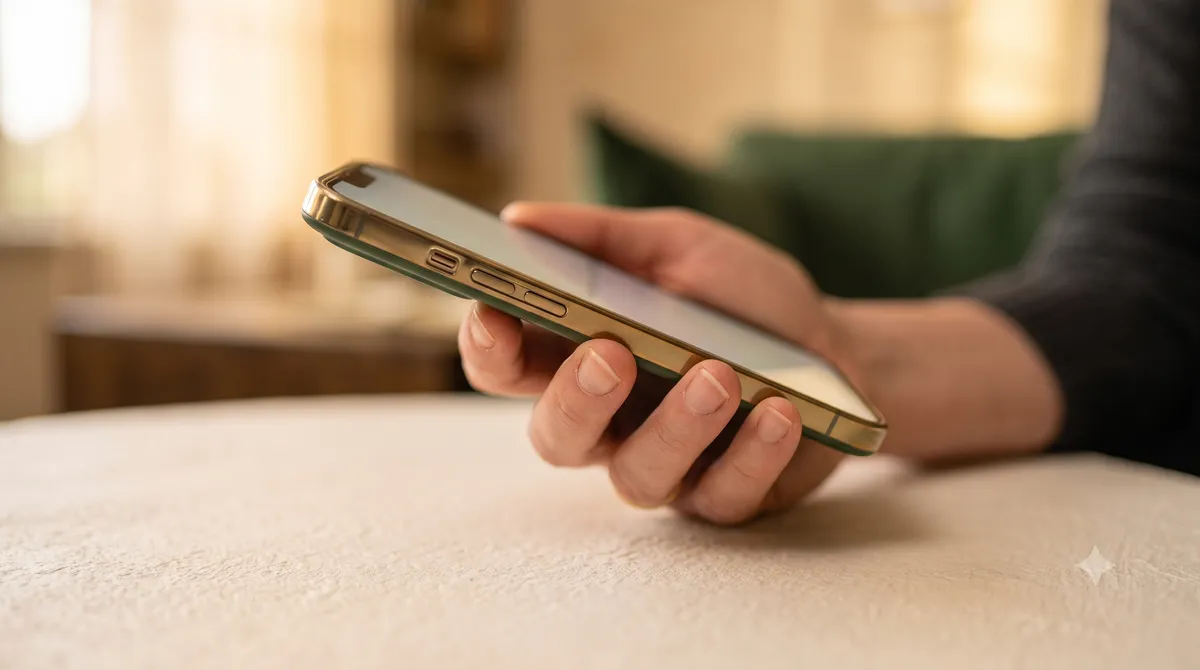
Go into your phone's settings and turn off badge notifications, the small red numbers on app icons, for every app except perhaps messages and calls. These badges are one of the most effective attention hijackers on the entire device because they create a persistent, low-grade urge to "clear" them, regardless of whether the content behind them matters.
Most people are surprised by how much calmer their phone feels within a day of removing badges. Your brain stops running a background check-in loop every time the screen lights up, because there is no visible open loop demanding closure the moment you glance at the phone. This is a genuinely low-cost change to test for yourself: it takes about two minutes across your settings menu, and unlike deleting an app, there is nothing to reinstall or reconfigure if you ever decide you want a particular badge back.
Step Three: Switch to Grayscale During Work Hours
Color is a significant part of what makes app icons and notifications compelling; bright reds, blues, and yellows are specifically chosen to grab attention. Setting your phone to grayscale mode during your working hours strips out much of that visual pull, making the same home screen noticeably less tempting to open without any real reason.
Most phones allow you to set an accessibility shortcut, such as triple-tapping the side button, to toggle grayscale quickly. Use this during focused work blocks, then switch back to color for photography or moments where you genuinely need it. This is a small but surprisingly effective addition to any mindful tech stack built around intentional attention.
Step Four: Set App Limits With a Real Friction Delay
Built-in screen time tools let you set daily limits on specific apps, but the real value comes from adding a delay before you can override the limit, not from the limit itself, which most people simply tap through instantly. Set your limits, but also enable a required waiting period, or use a third-party app blocker like One Sec or Opal that inserts a deliberate pause before an app opens. The specific delay length matters less than its mere existence; even a five-second pause is often enough to interrupt the automatic reach-and-tap sequence that happens below conscious awareness, giving you a brief but real moment to ask whether you actually want to open the app right now.
When I tested a one-sec delay on my own social apps, I overrode the limit maybe 30% of the time in week one. By week three, that number had dropped to under 10%, because the tiny pause was enough space for me to notice I did not actually want to open the app, I was just reaching for it out of habit.
- Set a daily time limit on your two or three highest-use apps
- Add a friction delay app rather than relying on the limit alone
- Review your screen time report weekly, not daily, to avoid obsessing over it
- Adjust limits down gradually over four to six weeks
Step Five: Replace the Reach With a Physical Alternative
The final step of a full dopamine detox home screen approach is giving your hands something else to do in the exact moments you would normally reach for your phone: waiting in line, sitting on a bus, or feeling a lull in a conversation. Keep a small physical book, a pocket notebook, or even a stress ball nearby.
This matters because the urge to check your phone is often not really about the content at all, it is a restlessness-relief reflex. Giving that reflex a non-digital outlet, even briefly, breaks the automatic link between boredom and screen time, which is the real root of most compulsive phone use.
What "Dopamine Detox" Actually Means (And What It Doesn't)
The term dopamine detox is popular but slightly misleading, and understanding why makes the home screen changes in this guide easier to trust. Dopamine is a neurotransmitter involved in motivation and reward prediction, not pleasure itself, and you cannot actually deplete or flush it out of your system the way the phrase implies. What you can change is how often your environment triggers a dopamine-driven urge to check, tap, or scroll.
This distinction matters because it reframes the entire goal. A dopamine detox home screen is not about punishing yourself or eliminating enjoyment from your phone, it is about restoring a normal, occasional relationship with reward triggers instead of a constant, low-grade craving state. Apps that use variable reward schedules, the same mechanism found in slot machines, are specifically engineered to keep that craving state active as long as possible, which is why removing the visual triggers, not willpower alone, is the more reliable fix.
Common Mistakes That Undermine a Dopamine Detox Home Screen
Most people who try this approach and quit within a week make one of a small handful of predictable mistakes. Spotting them in advance is far easier than fixing them after motivation has already faded.
- Doing all five steps at once instead of layering them over a couple of weeks
- Deleting apps entirely, then reinstalling them out of frustration a few days later
- Forgetting to also silence notification sounds and vibration, not just visual badges
- Skipping the monthly audit, which lets icons and badges quietly creep back
- Treating one relapse day as proof the whole approach failed
Maintaining the Detox Without Relapsing
Phones actively push back against these changes; app updates sometimes reset notification settings, and it is easy to slowly drag icons back onto your home screen over a few months without noticing. Do a five-minute home screen audit once a month: check for badges that crept back on, icons that migrated back to the front screen, and any new app you installed impulsively.
A dopamine detox home screen is not a one-time fix, it is closely tied to broader habits like a regular digital space audit, which covers cleaning up notifications, subscriptions, and digital clutter more comprehensively. Treat the home screen as the front door: keep it clear, and the rest of your digital life tends to follow. If you only have time for one recurring maintenance habit, make it this monthly audit rather than any of the five setup steps, since a detox that is set up once and never revisited tends to quietly reverse itself within two to three months as new apps and habits accumulate.
Frequently Asked Questions
What is a dopamine detox home screen exactly?
It refers to deliberately redesigning your phone's home screen, removing distracting apps, notification badges, and bright colors, so that unlocking your phone no longer triggers an automatic dopamine-driven urge to open a specific app. It is a structural fix rather than a willpower-based one.
Do I need to delete social media apps for a dopamine detox home screen to work?
No. Moving apps off the home screen and into a folder or app library, combined with turning off badges, is usually enough to significantly reduce compulsive use, without requiring full deletion. You can always add friction-based blockers for apps that still pull you in too easily.
How long does it take to see results from a dopamine detox home screen?
Most people notice reduced compulsive phone checking within three to five days, with more stable results by the two to three week mark, once the new home screen layout stops feeling unfamiliar and starts feeling normal.
Will grayscale mode really reduce phone addiction?
Grayscale alone will not eliminate compulsive phone use, but it measurably reduces the visual appeal of app icons and notifications, which lowers the frequency of casual, unintentional phone checks when combined with other steps like removing badges and limiting home screen apps.
What should I put on my home screen instead of social apps?
Keep only genuine utility apps: camera, maps, calendar, notes, weather, and one primary messaging app. Everything else, especially anything designed around endless scrolling, should be moved to a folder or the app library so it requires a deliberate search to open.